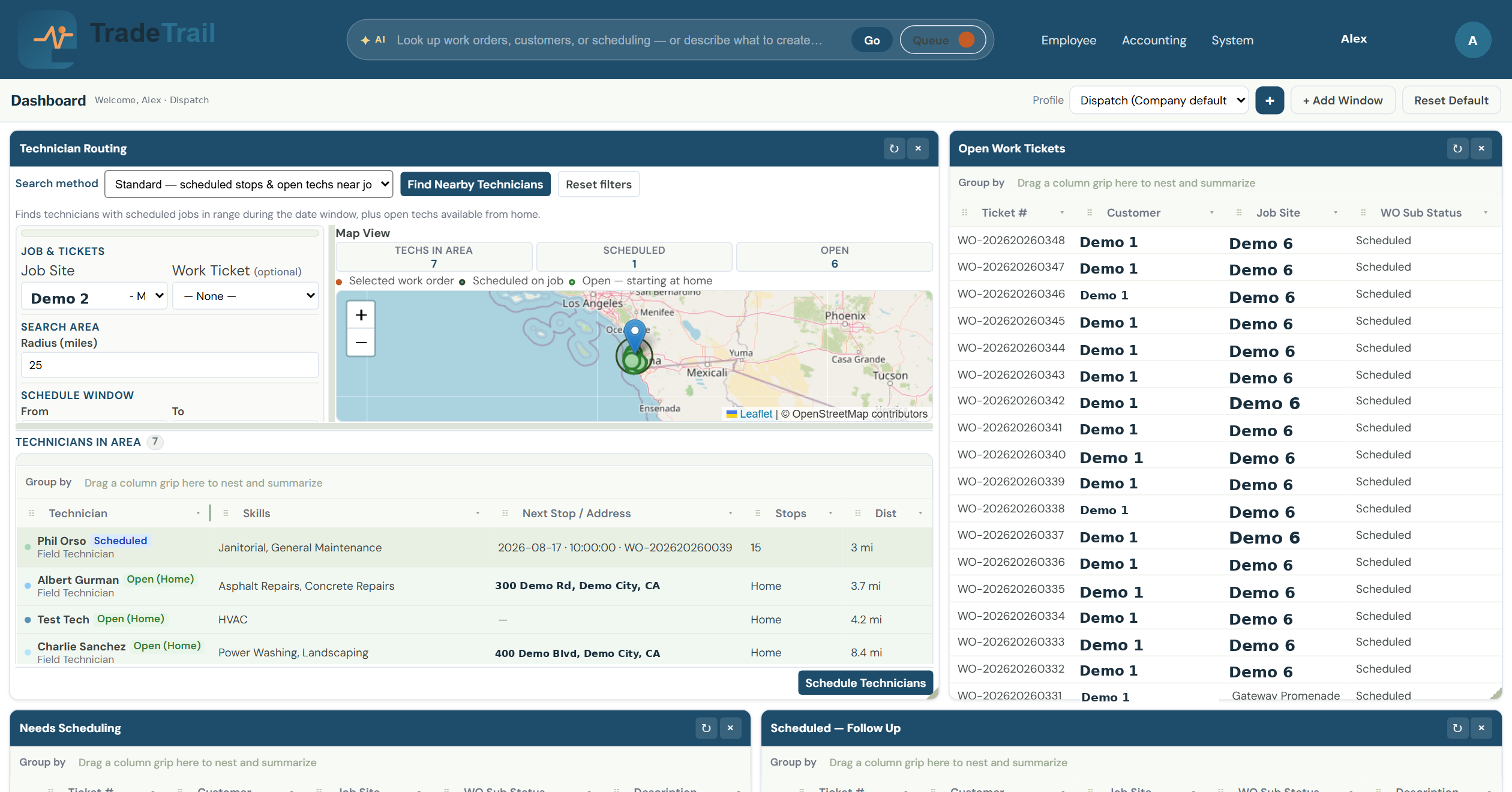
Intelligent Technician Routing
Put the closest qualified tech on the next job without the radio chaos.
- Map view of techs in area, scheduled, and open
- Radius search from the job site
- One-click schedule from the live board
TradeTrail — Field Service Management
One system for dispatch, finance, and sales — intelligent technician routing, cash-flow protection, and a mobile app techs actually use on the job.
Built for trades, maintenance, and field service teams.
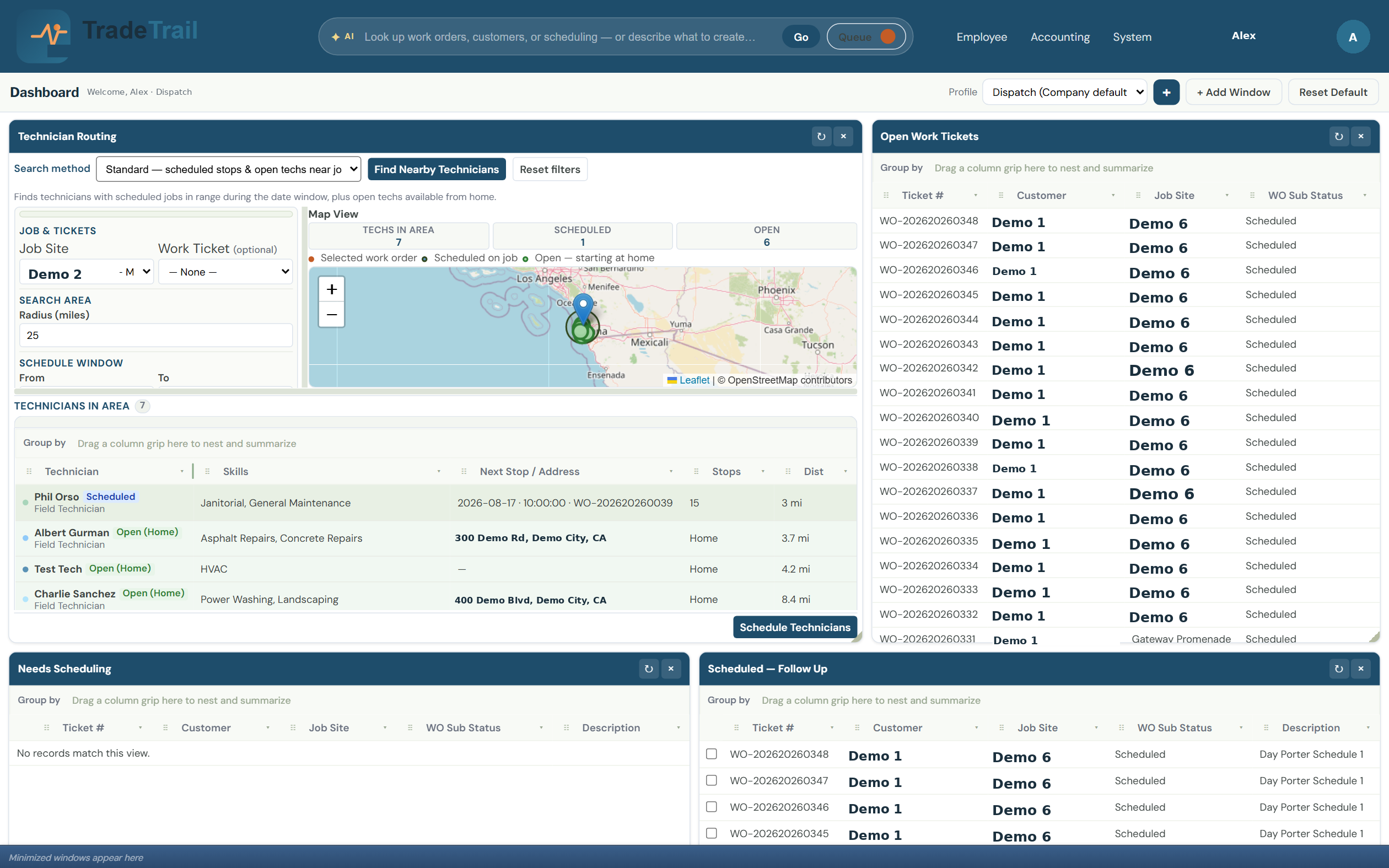
Live screens from the office. Dispatch, credit, and sales work from the same jobs.
Put the closest qualified tech on the next job without the radio chaos.
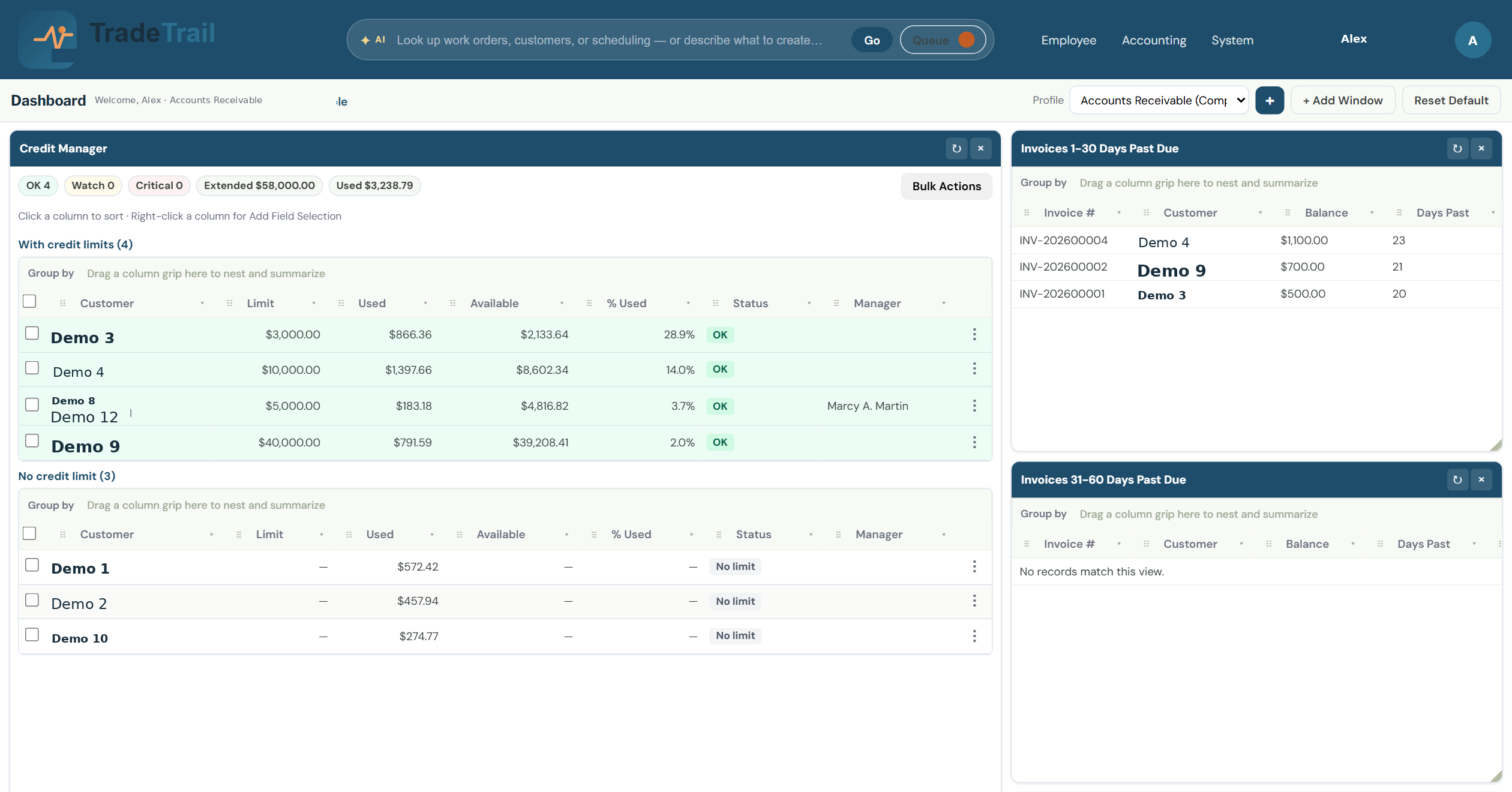
Protect cash flow before the next job is dispatched — limits, usage, and aging in one view.
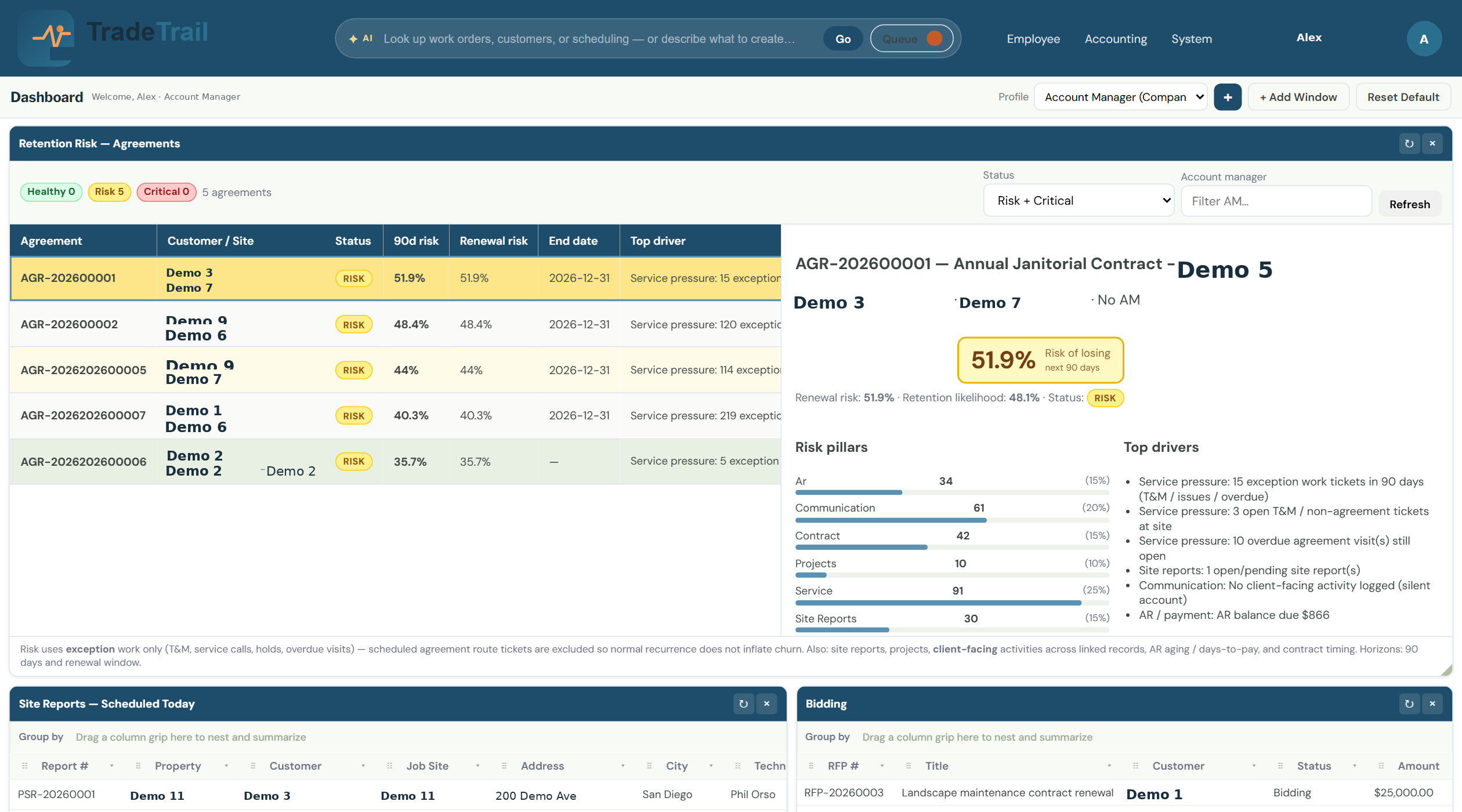
Proposal dollars, RFPs, and open proposals stay on one board.
The TradeTrail field app — clock, activity, and ticket notes that follow the tech, not the office.
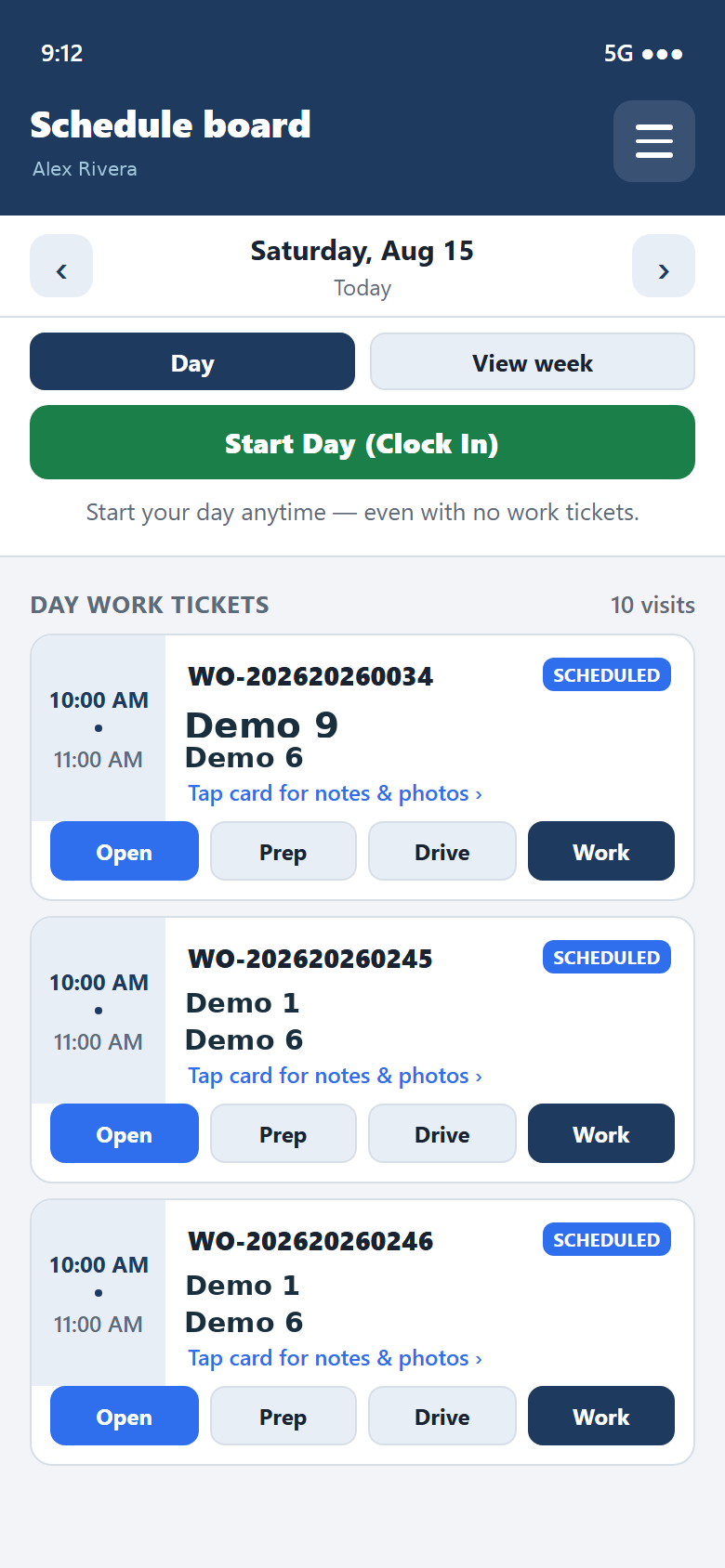
The schedule board is the clock. Start the day there, and end it from the same screen.
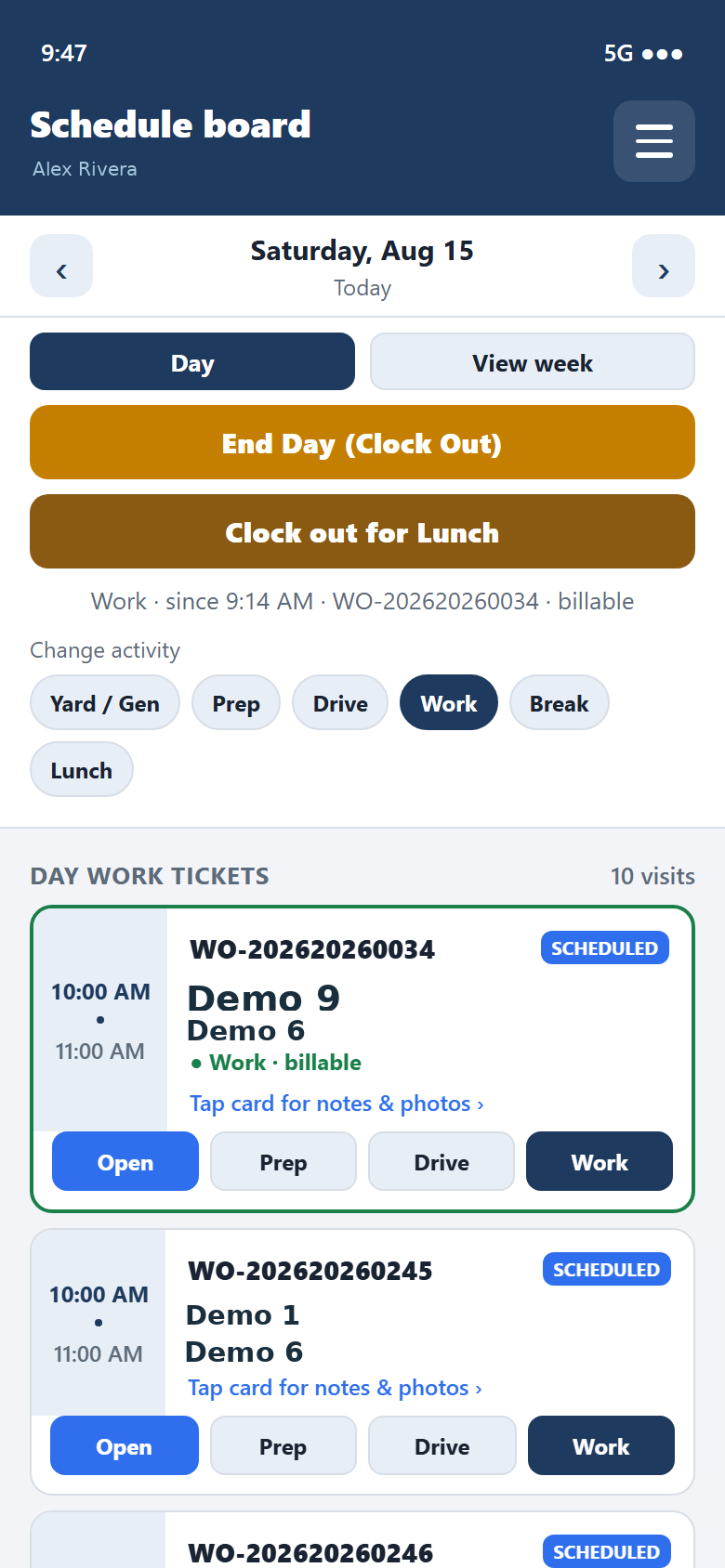
Switch Yard, Prep, Drive, Work, Break, or Lunch so payroll and job cost stay honest.
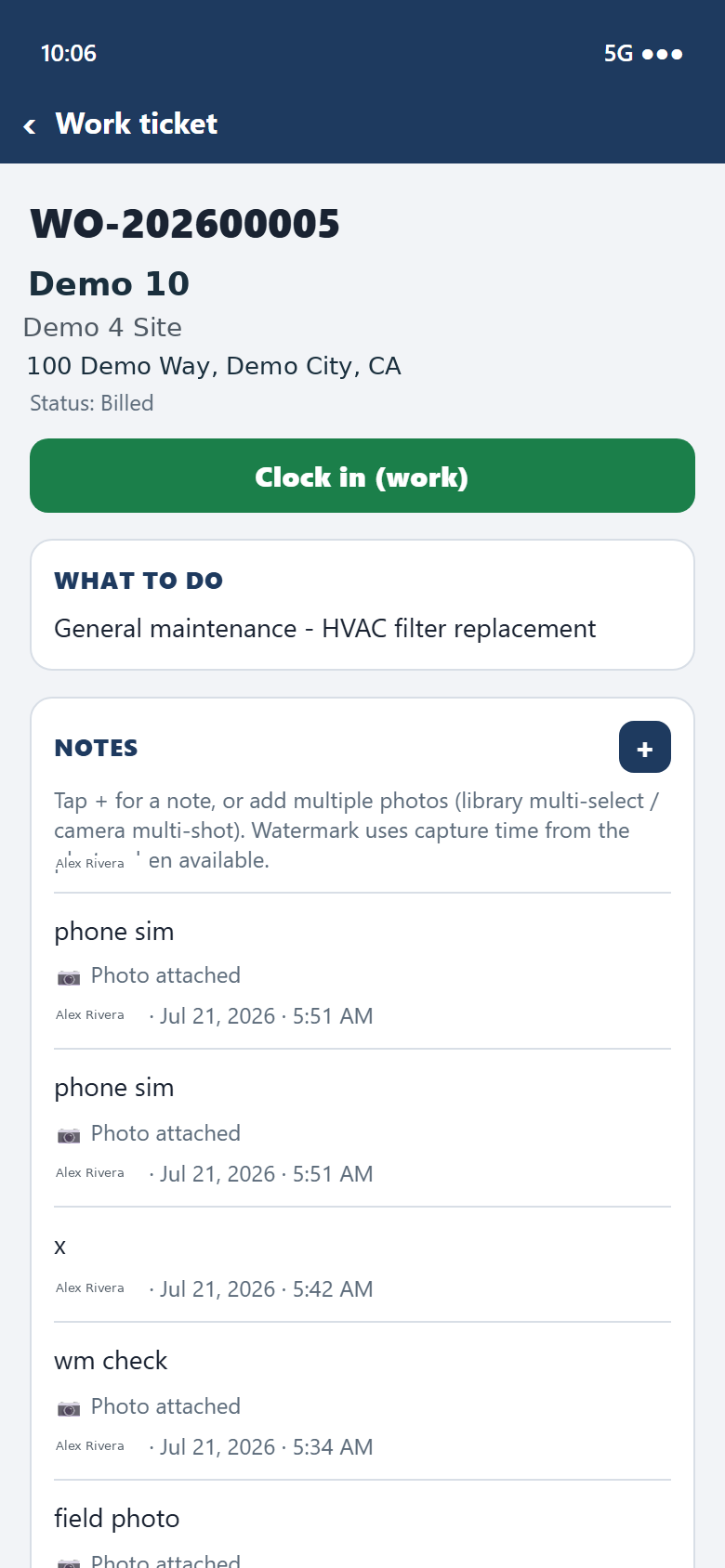
Capture what was done, attach photos, and send it back to the office from the ticket.
Sales and account teams work from the same live records the field already updates.
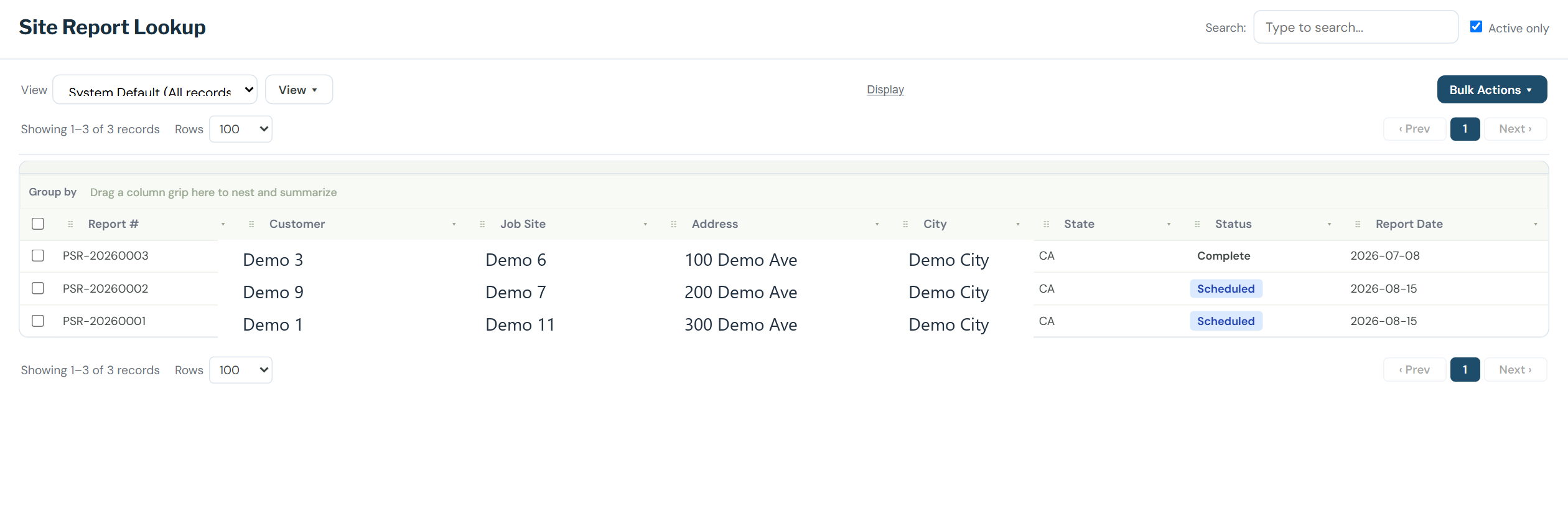
Site Reports
Site Report Lookup keeps scheduled and completed inspections in one grid — customer, job site, address, and status — so account managers know what was seen on site today.
Convert a report into follow-up work without retyping the property. Dispatch already has the address. Sales already has the customer.
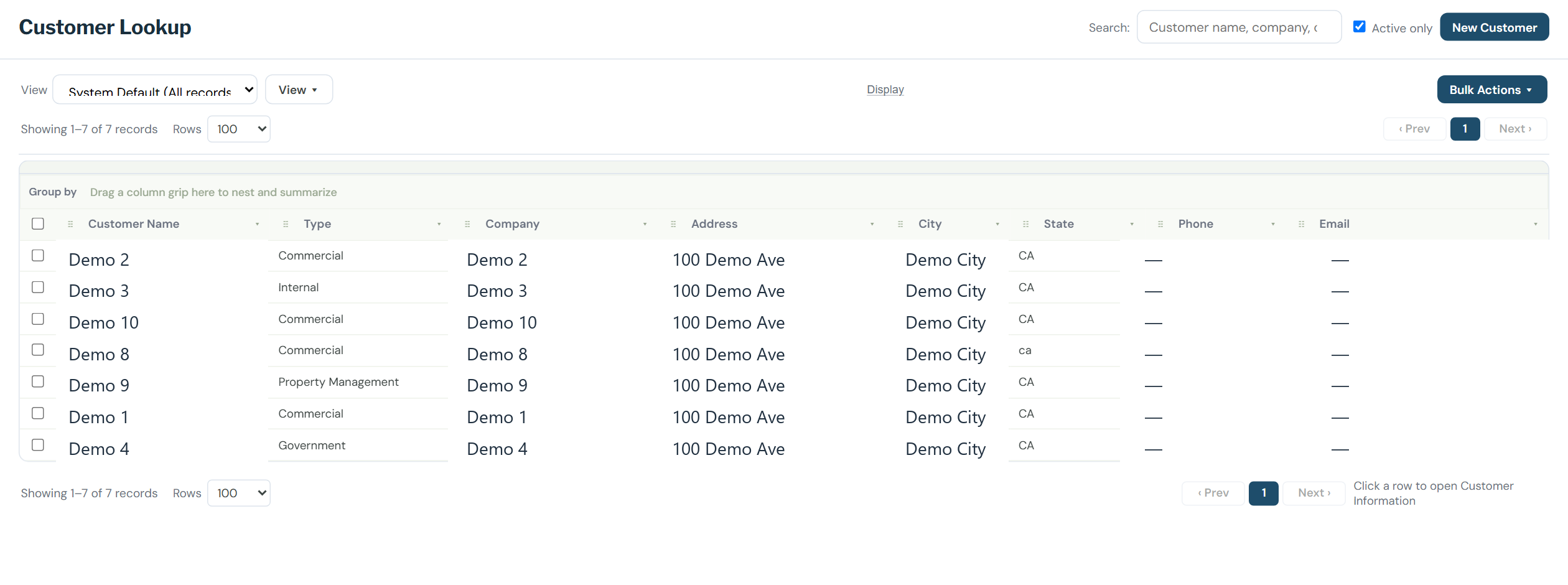
Account Management
Customer Lookup is the account book. Search by name, then open the account for its sites and contacts.
Credit, tickets, proposals, and site reports hang off the same customer. No second system. No stale spreadsheet.
These sit ahead of the screens on this page. A demo still covers routing, credit, sales, and the field app.
Route plans
A dispatcher chooses the branch, the dates, and contract, project, or time-and-materials work. The day stays a draft until the accepted stops are committed. The rest stay off the board.
Weather
Each service can name the conditions it should not run in. A forecast that breaks one of them holds that visit. A foreman or dispatcher releases it. The forecast does not clear the hold on its own.
On site
The field app will notice a technician at the job site. Leaving the stop ends the work. It does not start the drive by itself.
Dashboards
A person will be able to ask for a dashboard window from the office reports their role can already see. The window stays inside those reports.
See routing, credit, sales, and the field app on your own jobs — not a slide deck.
We are not collecting name, email, or company on this page until a privacy path and a real inbox exist.